
End-of-Summer Promotion: Book Call a Bike bicycles directly in DB Navigator – and save!
How it works
In the “Nearby” menu section of the DB Navigator app, you can access the area map. The map displays public transport stops, train stations, as well as available bicycles and scooters in your vicinity.
You can currently see and select the following sharing services on the map in DB Navigator:
- Bikes from Call a Bike
- Bikes and scooters from Dott
- Bikes and scooters from Voi
- Bikes and scooters from Bolt
You can book Call a Bike bicycles and Dott vehicles directly within the DB Navigator app. You can rent vehicles from Bolt and Voi using the app of the respective sharing provider.
How to rent bikes and scooters
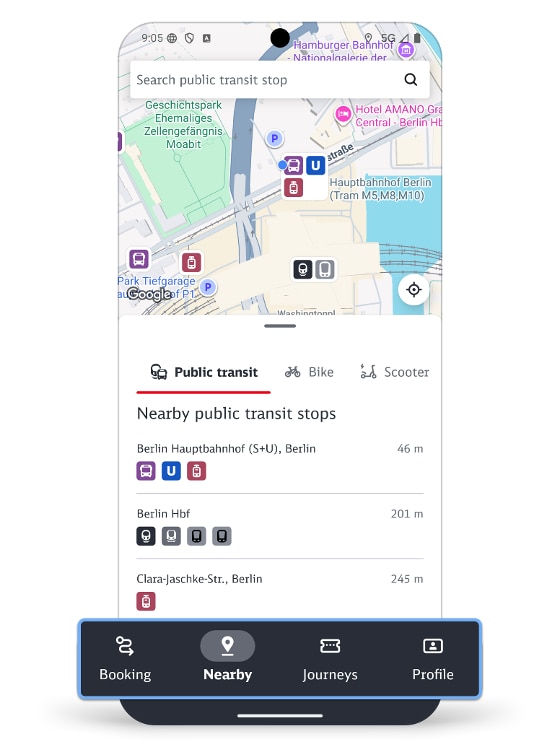
You can access a map of the surrounding area under the "Nearby" menu item in the DB Navigator app.
.png)
Now switch to the "Bikes" view, for example.
.png)
... or go to the "Scooters" view.
Available bikes or scooters in your vicinity will then be displayed on the map.
Available bikes or scooters in your vicinity will then be displayed on the map.
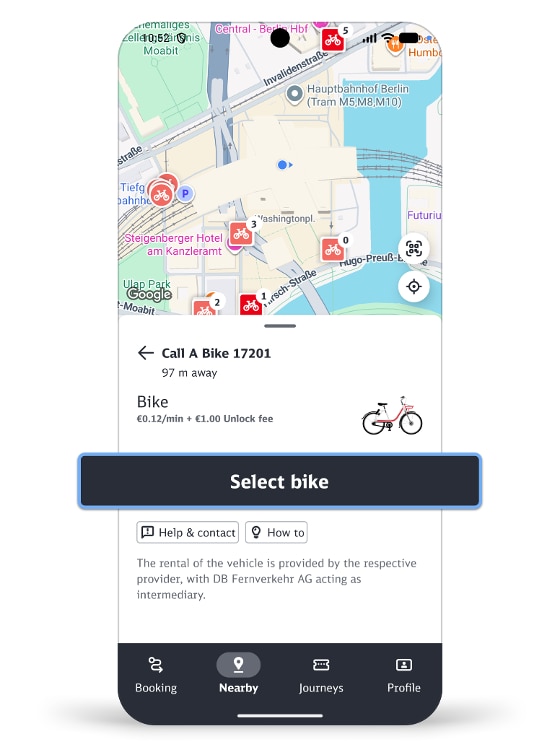
Select the option you wish to use.
You can rent vehicles from Call a Bike and Dott directly via the DB Navigator app. Simply tap the "Select bicycle" or "Select scooter" button and then complete your booking.
Note: During your first rental, you must provide and, if necessary, supplement booking-relevant information.
You can rent vehicles from Call a Bike and Dott directly via the DB Navigator app. Simply tap the "Select bicycle" or "Select scooter" button and then complete your booking.
Note: During your first rental, you must provide and, if necessary, supplement booking-relevant information.
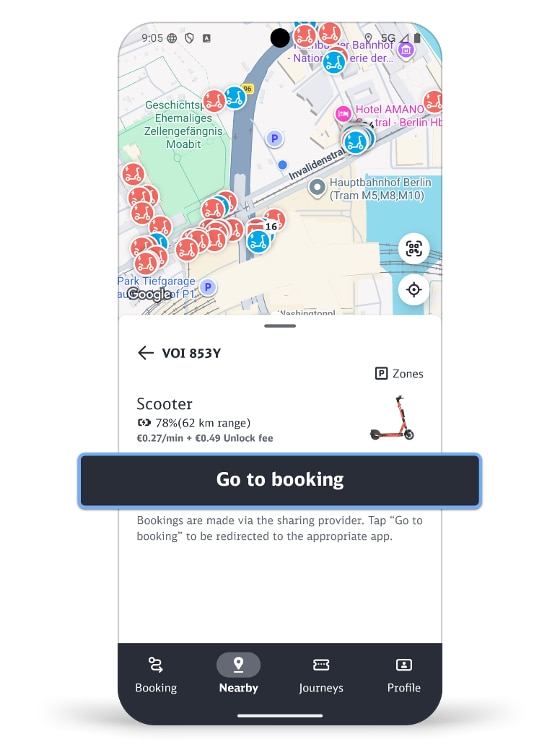
Vehicles from Bolt and Voi: By clicking the "Book now" button, you will be directed to the respective provider’s app or can download it. After logging in (or registering), you can rent the selected means of transportation within the provider’s app.
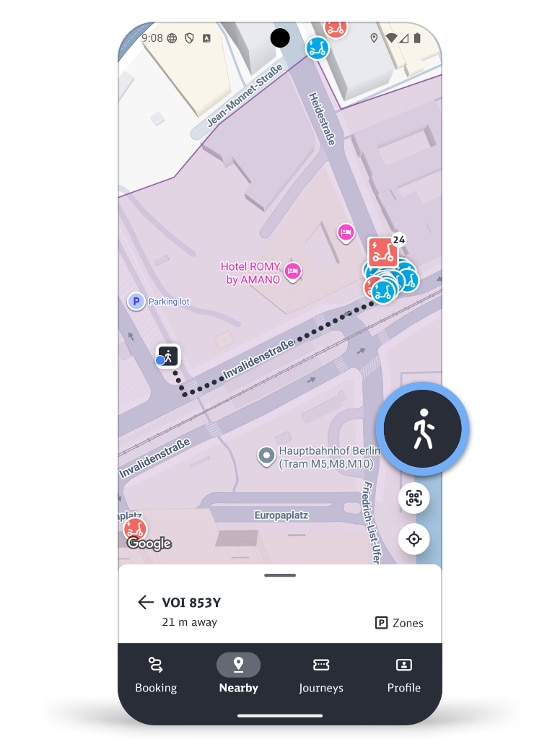
You can display the walking route from your location to the means of transport you have selected by tapping on the person symbol on the right-hand side of the map page.