

The DB best price search offers the following advantages
This is how the DB best price search works in the DB Navigator app
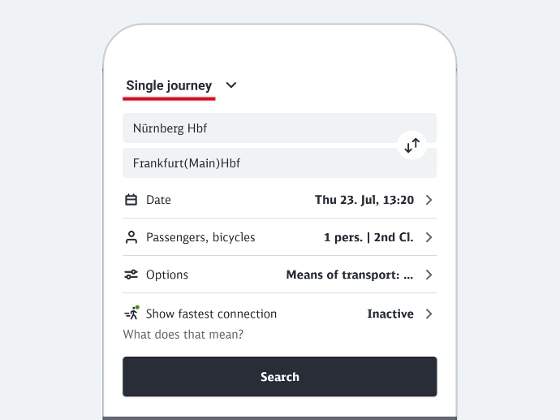
1. Enter the details of your journey in the travel information section
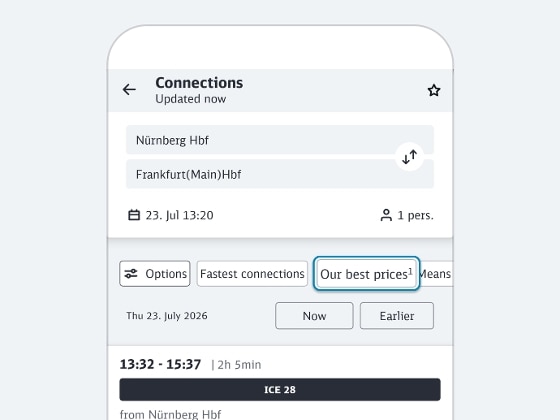
2. Activate DB best price search
Now select “Our best prices” directly above the connection overview. Alternatively, you can also activate the DB best price search there in the “Options” using the slider "Show our best prices"
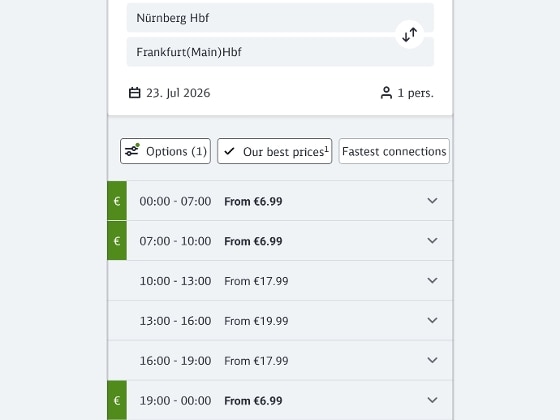
3. Compare prices
Now you are shown an overview of the prices of the selected travel day, grouped by time windows.
You can see the lowest available price during each period. Our best price for the entire day is shown in green and marked with €.
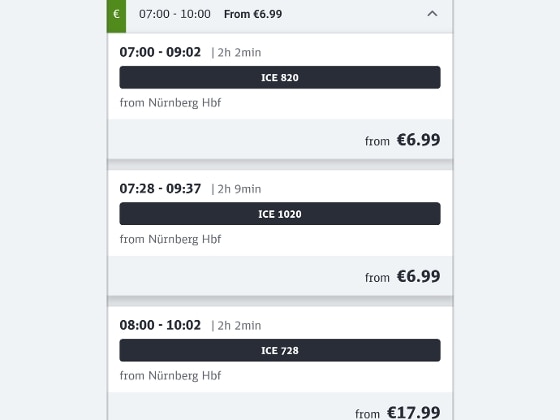
4. Expand time period
By clicking on a time window, you can expand it and display connections within the time window.
The connections are sorted from our lowest price, so you can quickly find low-cost tickets within your preferred time window.
Now select the desired connection and the suitable offer for you.
This is how the DB best price search works on bahn.de
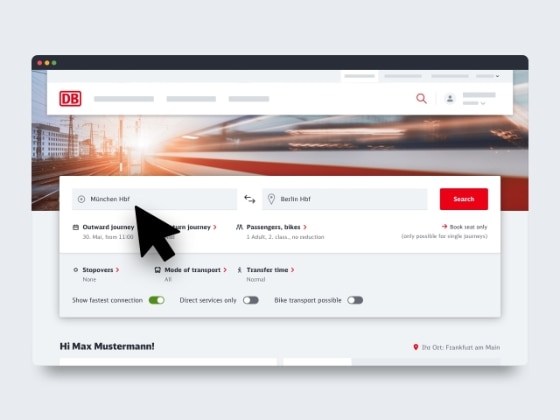
1. Enter the details of your journey in the travel information section
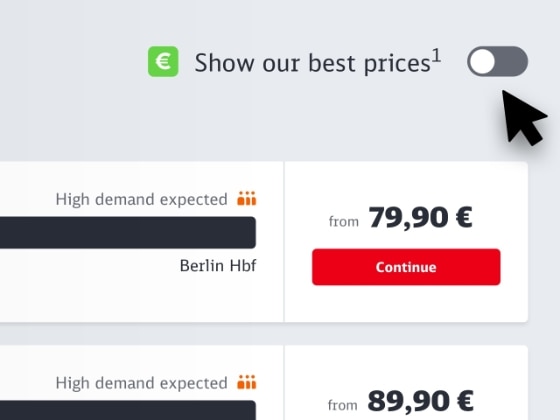
2. Activate DB best price search
Directly above the connection overview, activate the DB best price search on the right using the slider "Show our best prices".
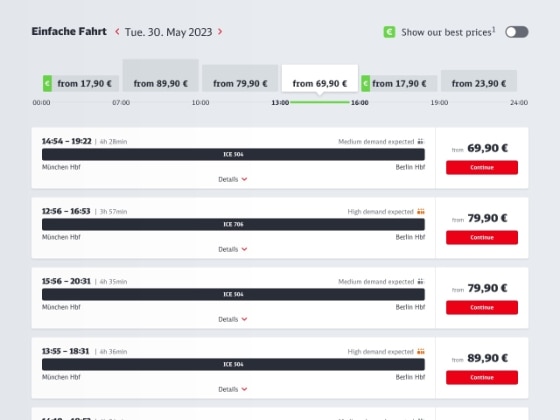
3. Compare prices
Now you are shown an overview of the prices of the day, grouped by time windows.
You can see our lowest available price during each period. Our best price for the entire day is shown in green and marked with €.
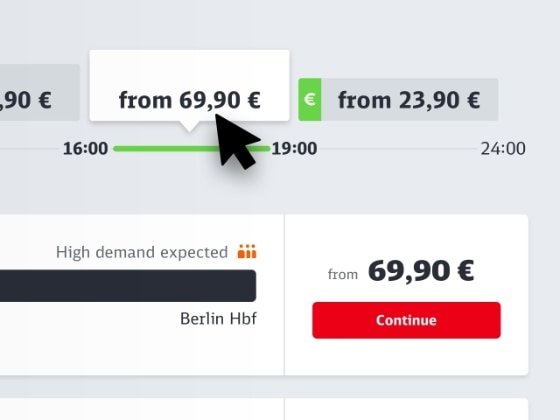
4. Select time period
Click a box in the best price module and our system will show you the connections during that time period.
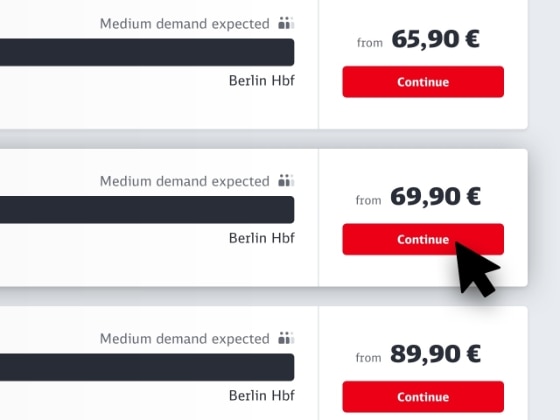
5. Select and book
The connections are sorted from the lowest price, so you can quickly find low-cost tickets within your preferred time window.
Select the connection and offer you want, just as you normally would.
Frequently asked questions about the DB best price search
When searching on the current travel day, the DB best price search cannot be activated. The reason for this is that there are usually fewer offers available for the current day, which also differ less from each other in terms of price. However, the DB best price search compares all prices for an entire day - this is not possible with a daily search, as the day has already begun. This is why the DB best price search is only offered for future travel days.
The DB best price search helps you find our lowest prices for a specific connection for future travel days on bahn.de and in the DB Navigator app.
How to activate the DB best price search:
- Enter your travel request in the travel information section of the DB Navigator and search for connections. The connection overview will open.
- You activate the DB best price search above the connection overview – either directly via “Our best prices” or by clicking on “Options” and using the slider “Show our best prices”.
Please note:
- Our system may not show prices for some connections (e.g. certain transport association tickets) in the first step even though these tickets are available on int.bahn.de. Their price may be cheaper than the prices in our DB best price search. You can display the price in the next step.
- We are unable to show fares for tickets that we do not sell.
The connections are all included at the end of the list for information purposes.
The DB best price in the travel information section is the day's lowest fare for the selected connection. Our best price for the entire day is shown in green and marked with €.
The DB best price is not a fixed fare or fare category. The DB best price search is a feature that lists connections with prices in ascending order (if available) and sorted by time.
The best price finder replaces the saver fare finder. It is clearer and more comprehensive. As well as displaying super saver fares, saver fares and flexible fares for long-distance transport, it also shows offers for local and international services.
On top of all this, the best price finder presents the prices in a more modern and transparent way. The best price finder is integrated into the travel information to make it easier for you to use.
Choose off-peak hours
For travellers who are not bound to specific departure times, it is advisable to select train connections in the early morning or late evening hours. Trains are usually less crowded at those times and generally cheaper. If you are not tied to a specific travel day, you can choose off-peak hours and, for example, avoid traveling directly before the start or end of weekends, holidays, or public holidays.